I’ve moved away from Guelph! :( My webcam is now offline. I’ve left this post here for history’s sake, though, and I fully intend to provide a tarball of all of the pictures it took. Thanks for your interest!
Original post:
For a few good years, the Co-operators Insurance company in Guelph had a webcam pointing at the Church of Our Lady in downtown Guelph. I moved from Guelph in 2012 after living there for five years. While I was away, I kept an eye on my favourite Canadian town through this webcam.
Webcam capture from Co-operators Insurance and Financial Services on 2015-06-26.
Unfortunately, in August of 2017, the webcam went down and even though they had brought it back up after a quick message on Twitter a few times previous to this, it seemed that this time it was down for good.
I moved back to Guelph in April of 2018 and resolved to set up my own webcam to point at the same church, now known as The Basilica of Our Lady. Obviously, I can’t place a webcam in the same spot, but my apartment is close to their building, so it has a vantage similar to theirs.
Every thirty minutes, the webcam snaps a new picture. The pictures from my webcam are licensed openly, using Creative Commons. I’ve also provided the horribly written bash script I use to get it to fire via a cron job, information on the camera I’m using, and some weather data on Guelph.
Perhaps one day, when this webcam retires, someone else will pick up the torch.
There’s a currently growing trend in website design where website owners request access to send you notifications. I can’t think of a case where this would ever be required or wanted and yet many websites are asking, sometimes even before the content has fully loaded.
To block all notification requests and all notifications from all websites in Firefox, type “about:config” in the address bar and search for “dom.webnotifications.enabled”. Double click that row to set the value to false and enjoy a happy, interruption-free web browse.
While you’re at it, read up on and consider enabling Tracking Protection for all websites. It makes browsing much faster as it skips the ads from shady advertising companies while you’re on your favourite sites.
Reliable access to information is important. Like electricity, we don’t think about it much until it’s gone.
Just imagine how much harder your daily life would be if you weren’t able to access a given piece of information. Whether it’s because the server is down, workplace firewall rules, or some sort of government censorship, how would you get what you need in order to do your work? Is it even possible?
If you’re a student looking for data for your research paper, or you’re a automotive dashboard designer trying to reduce driver distraction, or you’re a marketer looking for data to analyze customer habits, you need access to quality information that will help you make decisions based on data.
It’s no secret that most academic and non-profit organizations are constantly strapped for cash, often requiring donations or tax breaks just to keep the lights on. While it’s always welcome to donate money, there are other ways you can help out.
Have you ever considered donating a bit of hard drive space to help host academic files for universities? Many of us (myself included) have a home theater computer connected to our living room TV. Whether it’s an old laptop with a broken screen, a Raspberry Pi, or an Intel NUC, we’ve got something that’s available for most of the hours of any given day and has a hard drive that is almost never used.
Why not donate 10 to 15 GB of space to host important and much needed legal torrents?
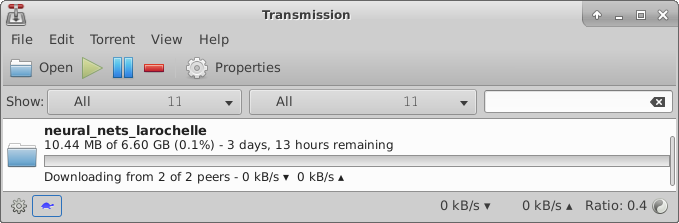
This is what I’ve started doing. Using Transmission, which is available for free on Linux, Windows, and Mac, you can easily set up a folder to host legal academic torrents.
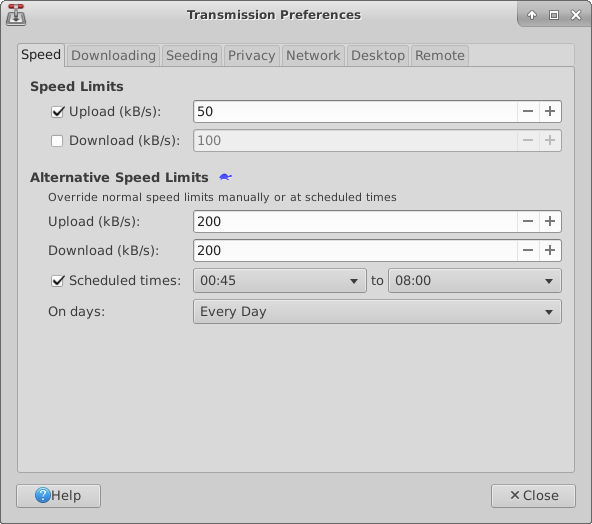
Worried about it killing your Internet speed or receiving hefty bandwidth bills? You don’t need to be. If you click the little turtle in the status bar, you can set sane speed limits. To not interfere with my Netflix streaming and gaming, I’ve got mine set to low speeds. It won’t be a deluge of data being sent, but just imagine if 50 of us all had these settings, the speed for the files will be fast, because that’s how Torrents work: splitting the file across multiple people to increase speed and reduce the chance of one down server stopping everyone.
Take a look at Academic Torrents to learn more about how you can help out.
UploadVR posted an article this evening about the newest Leap Motion prototype. This paragraph caught my attention:
According to Leap, its goal for the new module is not to package and sell it in Best Buy as the “Leap Motion 2.” Instead, the group wants to work with VR headset manufacturers themselves to integrate the hand-tracking sensor directly.
As much as I love the Oculus Touch and HTC Vive Controllers, accurate hand-tracking in VR is definitely the future. I’m excited not only because of the technology involved, but also because when manufacturers include this in their future headsets, it means that everyone will have it moving forward. We won’t run into another Sega CD / 32X add-on nightmare scenario where our userbase is fragmented between those who have it and those who don’t.
I got a chance to try out the original Leap Motion when we got one at the lab. It was just a few days after they released their major Orion upgrade, and I came away entirely impressed.
I was very happy to receive this in my inbox the other day. Specifically, it relates to the suit brought against Geocoder.ca by Canada Post over crowd-sourced lists of Canadian Postal codes. Here’s a copy of the email, in its entirety.
—
Geocoder.ca
Lawsuit Update
This is the final update on the status of Canada Post’s copyright/trademark lawsuit against Geocoder.ca, Ervin Ruci and Geolytica.
Canada Post has discontinued this lawsuit.
The terms of settlement are confidential but our agreed statement is this:
Canada Post commenced court proceedings in 2012 against Geolytica Inc. for copyright infringement in relation to Geolytica Inc.’s Canadian Postal Code Geocoded Dataset and related services offered on its website at geocoder.ca. The parties have now settled their dispute and Canada Post will discontinue the court proceedings. The postal codes returned by various geocoder interface APIs and downloadable on geocoder.ca, are estimated via a crowdsourcing process. They are not licensed by geocoder.ca from Canada Post, the entity responsible for assigning postal codes to street addresses. Geolytica continues to offer its products and services, using the postal code data it has collected via a crowdsourcing process which it created.
While it is unfortunate that it took Canada Post 4 years to come to this conclusion, this turn of events reinforces our long held position that our postal code data is crowd sourced.
As this is the last (mass) email you will receive on this topic, we thank you for your support and wish you all an “open data” future.
P.S. All excess donations and/or other funds we have received at the conclusion of this lawsuit, will be donated to those who conducted our legal defense pro bono over the past four years of legal wrangling, with special thanks to the Canadian Internet Policy and Public Interest Clinic (CIPPIC) and RIDOUT & MAYBEE LLP.
—
I’m glad we can finally put that to rest. Good luck out there, geocoder.ca!
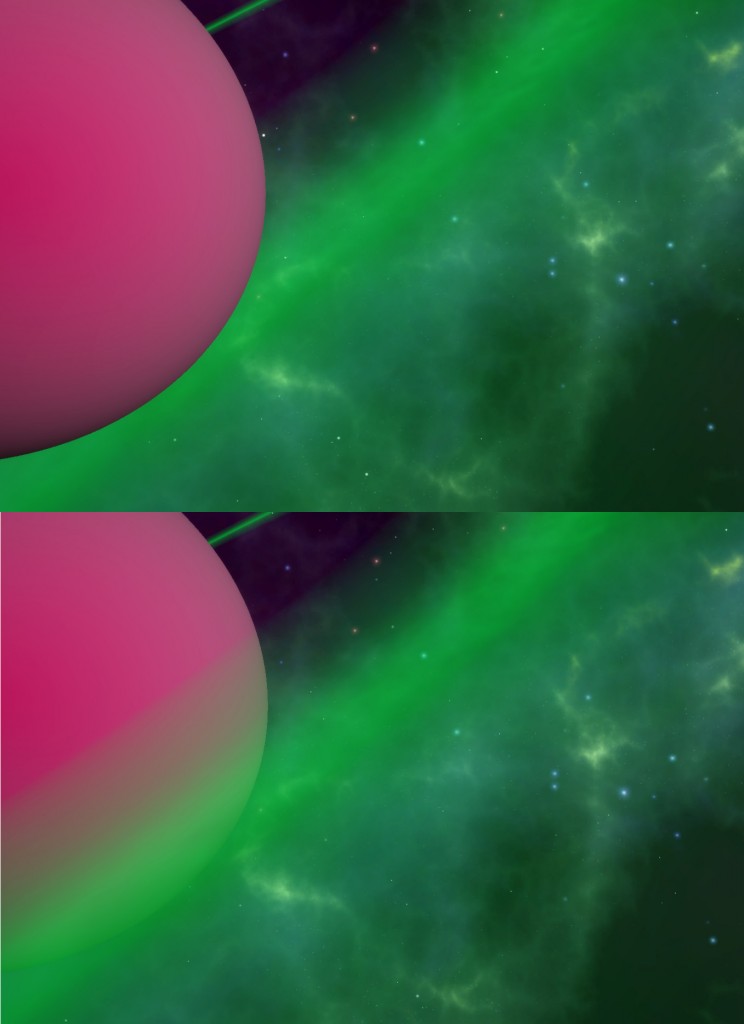
Before and after. Bright colours used to demonstrate effect of fix.
The fact that, by default, the transparent shaders in Unity3d do not work well behind or in front of objects has been a problem for years. Here’s an easy fix that might solve it for you.
Steps
Make a duplicate of the transparent shader in question. For me, this was Unlit – Transparent Tint. I found it by searching my Project window in the Unity3d editor for “Unlit”.
Edit the new shader in a text editor (default: MonoDevelop).
On line 1, change the name of your shader to something you’ll remember. This is where it will be in your shader selection dropdown in the editor.
Under the SubShader section, add +1 to the item in the “Queue” section. For me, this became “Queue” = “Transparent+1”.
Save your shader.
Apply it to your game object.
That’s it! With any luck, the object with your transparent shader should now appear in front of other game objects which also use a transparent shader.
On my gaming blog, Gameblaster64, in September of 2012 I wrote an article complaining about the lack of risk-taking by Nintendo with regards to games on the Wii U. At that time, the console’s game library was almost entirely movie licenses and Just Dance clones. I gave two examples that came to my head as the type of games I’d love to play but thought Nintendo wouldn’t have the balls to make. Here’s my second idea (the first being a worldwide Animal Crossing game):
Platformer U
Think of the music sequencer from Mario Paint except you build a platformer instead of a song. Hundreds of assets are included (and some sold in DLC packs on the Wii U store) including the ability to place classic Mario characters and items in your levels. Share said levels with your friends and everyone online.
I thought Nintendo would never allow the public to use Nintendo assets for their own games, even in a limited fashion, as it would require them to give up control. Imagine my surprise when I read this article about Super Mario Maker on Wikipedia today:
The game was first announced at Electronic Entertainment Expo 2014 with the name Mario Maker. The game was originally conceived as a tool by Nintendo’s internal development team, to be used only within the company. The team, however, quickly realized the tool’s potential as a game and pitched the idea to senior game designer Takashi Tezuka. Meanwhile, Tezuka had been wanting to make a Wii U followup to Mario Paint that utilizes the Wii U GamePad.
I think most Canadians would agree that it’s fair for Canada Post to charge companies for a list of Canadian postal codes by region, since it does require actual work to organize and maintain that list. What I think most Canadians would disagree on is suing someone for building their own list from scratch, based on people submitting their address and postal code to help out. But, that’s exactly what’s happened to Geocoder.ca, an Ottawa-based mapping firm which supplies the postal codes to free and open mapping services like OpenStreetMap.
This is the gist of the matter: Since 2004 we have crowdsourced* the generation of the “Canadian Postal Code Geocoded Database.” When you make a query to geocoder containing for example this information “1435 Prince of Wales, Ottawa, ON K2C 1N5”, we then extract the postal code “K2C 1N5” and insert it into the database that you may download for free on this website.
It’s been nearly 4 years since they’ve been sued and they’re finally going to see their day in court soon.
The building manager of my apartment was recently fired after a viral video surfaced of him allegedly physically pushing a tenant out of his office. I found it interesting in the same way one does when watching any other train wreck in slow motion. Afterwards, an article was posted on The Record (Waterloo’s local paper) where an IN8 spokesperson, Darryl Firsten, stated:
“This is our 11th building in Waterloo and 10 out of 10 have been done on time, right down to the last blade of grass,” Firsten said.
I live in Sage 3 Waterloo, which is an IN8 development. I can confirm that, when I moved in on May 1st, 2015, it was so unfinished that we didn’t even have blades of grass. Work was being done for weeks after we moved in, including things like laying down sod, putting up fencing, putting furniture in the lobby, insulating pipes in the underground garage, adding locks to the outside doors, actually having a door in some places (rather than just a portal).
We were very lucky that the units themselves were ready. Many tenants of Sage 2 are not so lucky.
I’m a huge fan of Pocket. It’s a read-it-later service that helps relieve some of the pain of losing Google Reader.
What I’m not a fan of is being tracked online.
Pocket has a bookmarklet that lets you save whatever website you’re on to your read-it-later list. I used this happily for months until an odd, compulsory update came along that changed the permissions from read/write access to anything done on only Pocket’s own site to read/write access to every website in Chrome. So, I deleted it, let Pocket know it was a problem via Twitter, and stopped using Pocket. I still loved the service, but without the ability to immediately save a web page to my Pocket, I no longer had exposure to it, and it fell out of my workflow.
That is, until an Internet friend recommended Save to Pocket (mini)! It is an unofficial Pocket Chrome extension that replicates the original bookmarklet’s functionality. Just click it whenever you want to read your current web page later and it goes right into your Pocket. No cross-domain cookies needed. Yay!
And that leads to me to the final thing I want to talk about, which is also the most important: Twitter has fucked up its platform. Twitter has turned into a place where famous people and news organizations broadcast text. That’s it. Nothing great is Built On Twitter, even though it should be the most powerful realtime communications platform on Earth. There are simply no developer integration features for building stuff on top of Twitter as a platform, and that is absurd and disappointing. The fact that automatic tweets from apps are considered rude is one of the biggest failings of Twitter’s product team–Twitter should be the place for apps to broadcast realtime information about someone. And yet the culture around the Twitter community has effectively banned such behavior because the product doesn’t have features to filter/organize such notifications.
Twitter started off as a content creator’s dream. They had a freely available API and a massive, growing data-set open to anyone with some basic programming skills. That avenue was closed a few years after launch when they bit the hand that fed them and blocked basic API access to successful apps.
While I agree with Mr. Curtis’ overall opinion of the Twitter platform, I’m not convinced Twitter is “the right person for the job.” The service that Twitter provides should be given to the people who contribute to it, like Wikipedia does. The content and the platform should be completely open. Giving this responsibility to one for-profit company is simply a ticking time bomb.
It’s for this reason that I recommend as many interested people as possible look into running or contributing to the GNU Social platform. It’s a federated Twitter-alike service that’s completely open-source. People on one network can follow and reply to people who are on another. Even better is that there’s no 140-character limit!
I’m working in a team for the 2015 NASA Space Apps Challenge and this year, like last year, we’ve run into a billion and a half problems working with Unity3d and git with more than one person. After some searching I found an awesome website that included a gitignore file that seems to do the trick. I’m not trying to rip them off, but I’m incuding the gitignore file here for my own future sanity (and just in case their site goes down).
It was a trend during the dark days of the web (read: before html5, when the world required Flash for animations on the web) that designers would create custom, wacky, non-standard navigation elements on their sites in an effort to look more “hip” or “cool.” When you went to any given website that employed this tactic, the first few minutes were spent hovering over icons to figure out what each of them did. This is, of course, after you waited for the website to “load.” This sort of horrible design got so bad that it became known as Flashturbation.
Thankfully, I haven’t seen much of Flashturbation since around the time MySpace died (correlation, not causation, I’m sure).
Still, it crops up from time to time.
Why am I writing about this? I just wanted to call out Red Bull’s website and their decision to break the play button, which has been a dominant design standard since the 1960s. I got halfway down the page before my mouse accidentally hovered over the triangle icon and it was then I discovered that the images were actually videos that could be played.
It’s okay to style an icon. It’s not okay to break it.
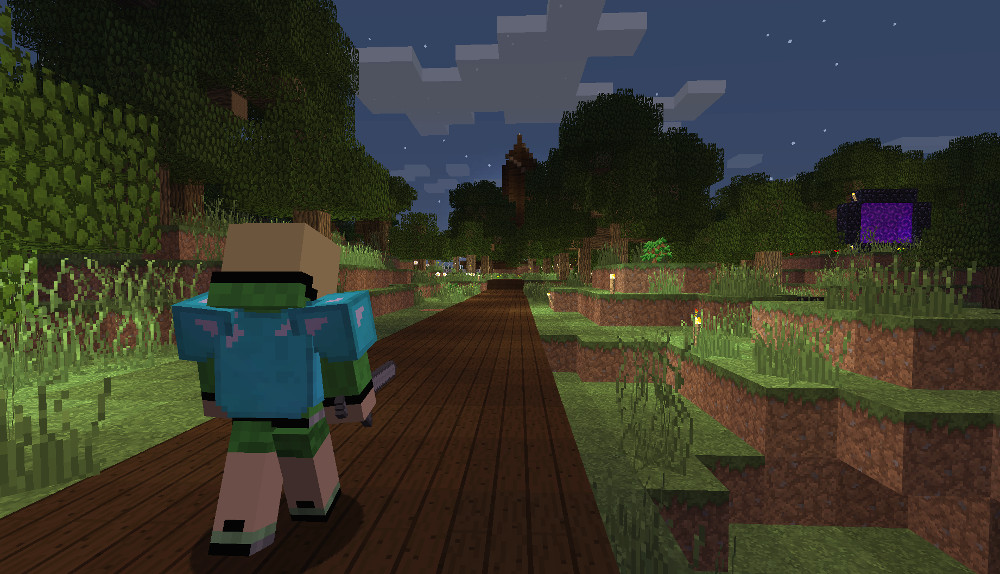
As most of our players have noticed, since Minecraft Release 1.8.x, xWarp has been broken. It’s been a mixed blessing: it’s fun to play true, legit survival, but it’s a pain if you want to visit a friend’s build without giving up the ability to warp back home. Until xWarp is fixed (I may have to do it myself), I’ve taken the time to export the warps from their cage in the SQLite database to JSON format. It’s not the easiest to read, but here’s how you can find the X, Y, and Z co-ordinates of your warps:
I run into this situation all the time when working on graphics, 3d models, or converting web wireframes to HTML+CSS: the need to keep a mini snapshot of what I’m mimicking in the same frame as the window that I’m creating it in. Think Picture-In-Picture but for your desktop.
This handy app lets you create an arbitrarily-sized rectangle snapshot from anywhere on your desktop then lets you place and scale that rectangle on another screen or over other work on the same screen. Take a look at a quick 2 frame video showing a Chinese character in my Google Doc then the Sticky Preview in the bottom left of my Blender window. I’ll use this reference to model the Chinese character in 3d.
I purchased Sticky Previews years ago and have used it hundreds of times to speed up my work-flow. If you’re a web developer or designer, I’d definitely recommend it.
Finally got around to updating my version of Notepad++. Was surprised but then delighted by this nugget that types itself out when it restarts:
Freedom of expression is like the air we breathe, we don’t feel it, until people take it away from us.
For this reason, Je suis Charlie, not because I endorse everything they published, but because I cherish the right to speak out freely without risk even when it offends others.
And no, you cannot just take someone’s life for whatever he/she expressed.
Hence this “Je suis Charlie” edition.
– #JeSuisCharlie
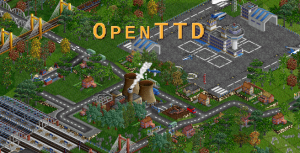
Transport Tycoon Deluxe had a profound impact on my life when I was in high school. A friend an I found it in a nested-away folder on one of those pirate-rich, home-burned CDs that contained ripped games and were passed around between classes. At the start, we had no idea what a great game Transport Tycoon was but the graphics were really impressive and the game ran swell on our hardware (a 486SX at 33MHz and a Cyrix MediaGX at 180MHz). Not only were the graphics great, but the music was really catchy, as well. All of us (friends who later became enamoured themselves with the game) found ourselves humming it for months and years after.
I play the music now and again, even years later. It’s classic 16-bit MIDI is music to my ears. Still, I have always wondered what a live band adaptation would sound like.
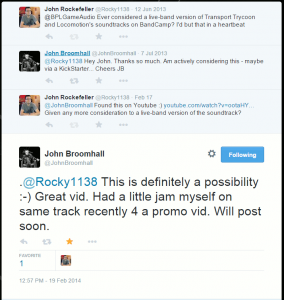
Enter Twitter
Some people wonder what the point of Twitter is. I, myself, was one of those people until I realized about two months after joining that A) your experience is directly related to the quality of the people you follow, and B) it gives you direct access to famous people you would have no other way of contacting.
Hey wait! Why not contact John Broomhall about him doing a live band version of the Transport Tycoon!
I’d just like to thank Mr. Broomhall for doing this and giving me such enjoyable music to listen to all these years. Also to Twitter for making it possible for us to directly speak to people who have made direct impacts on our lives!
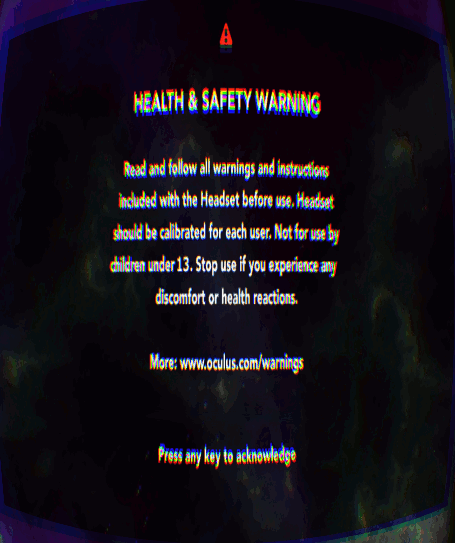
I understand the need for a warning when loading an app for the first time off of the Oculus Share store, etc. but as a developer it’s insanely annoying to have to go through this thing every single time you run your game. So, if you’re working on an Oculus Rift app and you want to get rid of it while you work on it, here’s how to do it in Windows.
1. Create a text file called “oculus3d.reg” with these contents and run it.
Windows Registry Editor Version 5.00

[HKEY_LOCAL_MACHINE\SOFTWARE\Wow6432Node\Oculus VR, LLC\LibOVR]
"HSWToggleEnabled"="1"
2. Open the Oculus VR Config Tool and click on the “Advanced” button underneath the player height field.
3. Check the box confirming you don’t want to see the warning any more.
4. Develop your game faster by being able to save 10 seconds every time you test your game.
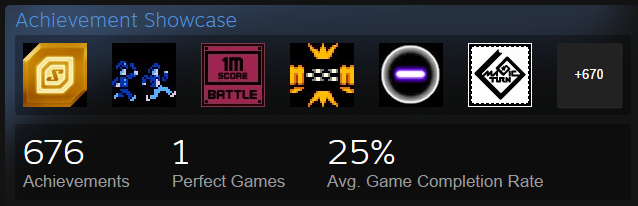
For the past few weeks I’ve been on a personal mission to go through each of the games in my Steam library, one by one, and complete all of the achievements in them. This is known on Steam as a “perfect game.” and is listed in your profile page as such. So far, I’ve got one perfect game, but many others are very close. This award is binary, giving the impression that I’ve only played one game out of my list. This means if I have 99/100 achievements, it will not give me a “perfect game.” I have hundreds of games to play so it’s unlikely I’ll ever actually finish this. Still, it’s something fun to do.
If you’re not familiar with the concept of Achievements, think of Scouts badges: you get badges for completing certain actions in a game up and above the basic gameplay. An example might be completing the entire game without dying or finding all of the hidden gems in a level. They don’t directly affect gameplay but provide an interesting meta-game which encourages players to come back (known as replayability) and also gives a sense of completion when you’ve achieved them all.
There is also a listing, on Steam, which shows, per game, what percentage of players have gotten each achievement. For example, here is the achievement listing for a game called Race The Sun, which is a bit like a racing game where you also have to dodge obstacles.
All this is well and good, but who decides what these achievements will be? The game developers themselves. This is where we get into a sort of gray area where, if the achievements are garbage, they actually serve to disicentivize continuing to play the game. Below, I’ll provide a few examples of these “Anti-chievements.”
1. The “Play for X Number of Hours” Anti-chievement
Hey! You’ve already completed the game but to get this last achievement, you have to rack up some insane amount of hours just to say you did. Let’s say 50 hours? Excellent! This is fun!
You’ll note that only 1.2% of players have gotten this anti-chievement. I wonder why!
2. The “Do a Mundane, Repetitive Task X Times” Anti-chievement
There is a game in my Steam library that gives you an achievement once you click your mouse 500,000 times. Let that sink in for a minute.
Clickr: Click 500,000 times.
3. The “Order of Magnitude Score” Anti-chievement
This one sometimes appears alongside #2 but instead of jumping right to 500,000 clicks, you get achievements at 1000, 10000, 100000, then 500000 clicks. Count ’em: that’s FOUR achievements you get. Just for clicking! Aren’t you happy?
4. The “Play it all again” Anti-chievement
Wizorb is the most notable for this transgression. Part of the game has you rebuild a village over time using the coins you collect during game play. But, after you’ve beaten a large portion of the game, you may realize that there is an achievement for beating the game without rebuilding the town. If you didn’t notice this before you started playing, you would have gotten hours and hours into it, only to have to restart and replay the game again without doing this one thing at the very beginning.
5. The “Rely Completely On Luck” Anti-chievement
Faerie Solitaire was a fantastic game. The achievements were pretty good, overall, and would appear naturally as you progressed through the game. Still, there were two that most people never got and it’s not because they were bad at the game. They never got them because receiving the achievements were based entirely on random luck.
Essentially, during game play, there is a small chance that an item will drop. That item gives you the two achievements. The only way to get this item is to keep playing the game, even after you’ve long gotten every other achievement and beaten it many times in the hope that maybe you’ll win the lottery.
6. (Bonus) The Multiplayer Anti-chievement
If you are an indie game developer, please do not make multiplayer achievements for your game until you’ve got a large and thriving online multiplayer community in your game. Many games, even from small developers, will include some sort of “play against other people online” component. The trouble is that indie games tend to not have enough people on during the day for players to actually compete. So, in this case, it’s impossible to get achievements based around the multiplayer component of the game.
I’m in the process of moving my videogaming blog, GameBlaster64, over to WordPress. The most recent security vulnerability with Drupal coupled with the fact that core updates must still be done manually has pushed me to head in that direction. Drupal has always been a lot more work than WordPress and I didn’t really need all the extra functionality anyway.
In under a month, GameBlaster64 will be 4 years old. There are hundreds of posts, thousands of pages, and tons of images. It’s going to be 301 redirect galore. To help with this, I wrote a small PHP script to grab the URLs of the taxonomies and articles I’ve been writing. It uses WordPress functions to import blog posts, along with their attached tags from the Drupal 7 database.
Here is my script. If you’re moving from Drupal 7 to WordPress, you’ll hopefully find it useful.